The starting problem
The owner needed dispatch, customer history, service records, and follow-up to fit the way HVAC work happens in the field. A technician between calls needs usable information on a phone, while the office needs a coherent view of the same work.
The engagement also covered service agreements and the marketing layer. Memberships, seasonal tune-ups, and emergency call surcharges needed to be represented in the operating process rather than handled as disconnected paperwork.
David’s contribution
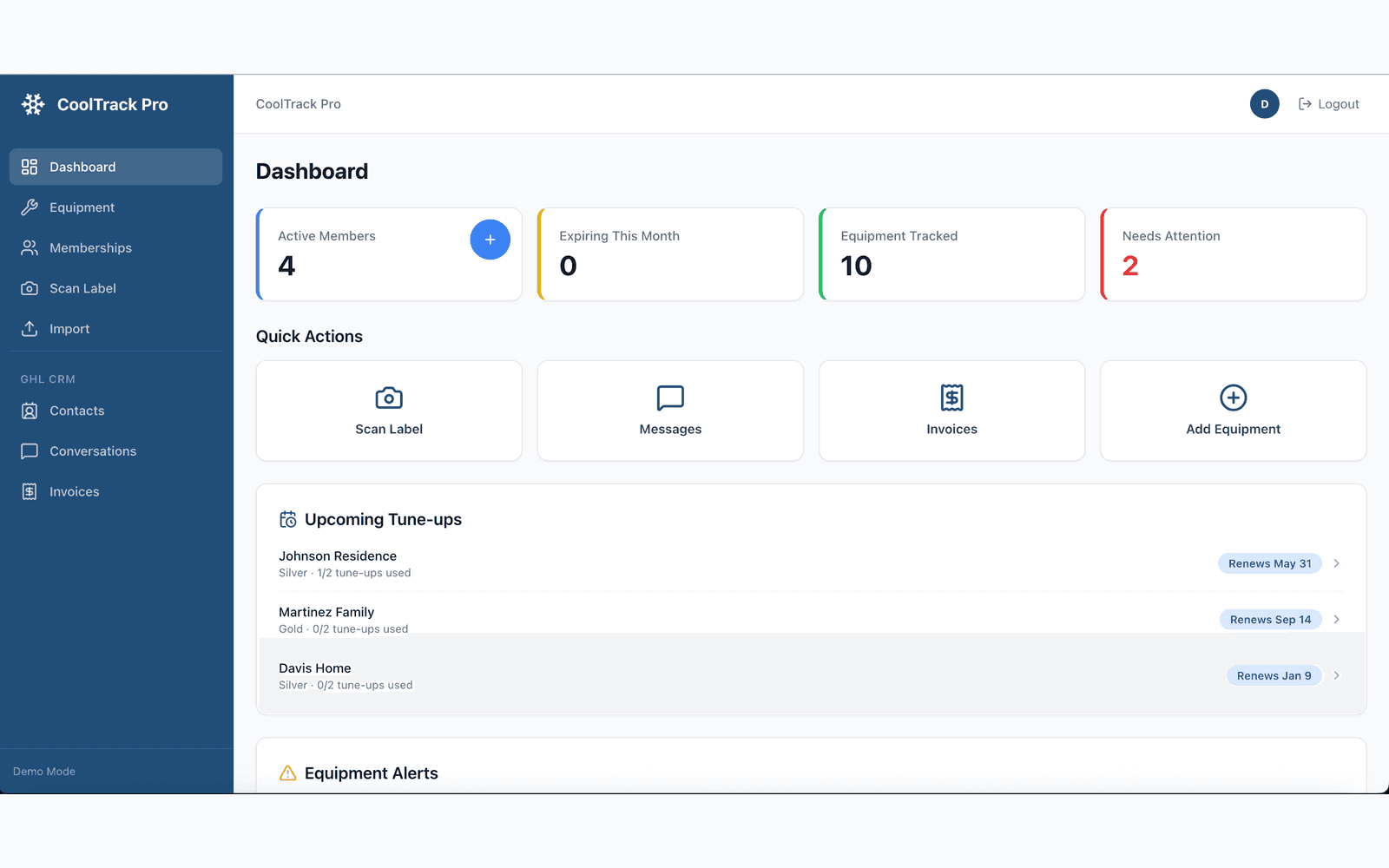
Stories & Systems designed CoolTrack Pro as a mobile-first management surface using GoHighLevel’s CRM capabilities. The design put dispatch and service history into a field-oriented interface.
Make.com automations connected booking forms with dispatch, satisfaction follow-up, and membership renewal workflows. Service agreements were drafted around the company’s offerings. A web and SEO audit considered how the marketing layer connected with the operation receiving the inquiries.
The delivered work
- A mobile-first surface for dispatch and service information.
- Booking-to-dispatch connections and follow-up workflows.
- Membership renewal workflows and service-agreement documents.
- A web and SEO audit connecting acquisition questions with operational needs.
The documented evidence describes the build and its intended use. No measured change in response time, membership retention, search traffic, or owner interruptions is reported here.
The handoff the system supports
For a field-service business, an inquiry, booking, dispatch, and follow-up are related steps. If the information stops at one of those transitions, a person must reconstruct the context before work can continue.
This build connected those steps around the technician’s working environment. It also illustrates why an owner should agree on the operating responsibilities before choosing an automation: who checks a new booking, who resolves an exception, and who maintains the customer record?
Those responsibilities still belong to people. A mobile interface makes information available; practice and clear decision boundaries help the team use it well.